Version 1.1 · Available Now

Silica Payroll

SARS compliant payroll for startups and small companies (recommended 1–25 employees) — R 500.00 including VAT once-off, no monthly subscription. Local support from Silica Office.

Request a Quote Call 035 789 0565

See Silica Payroll in Action

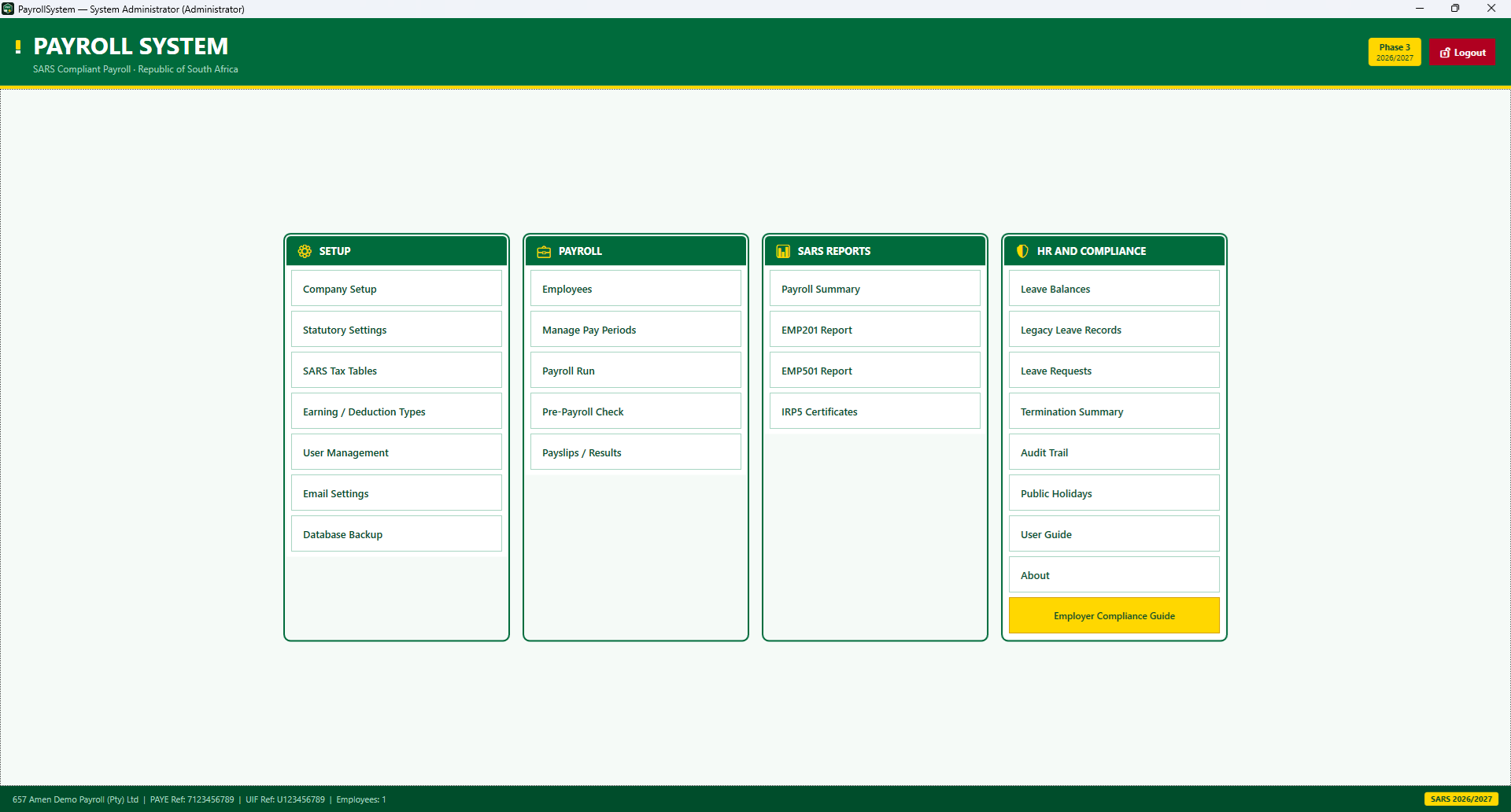
Screenshots from Silica Payroll v1.1 — SARS payroll, validation, results and statutory reports.
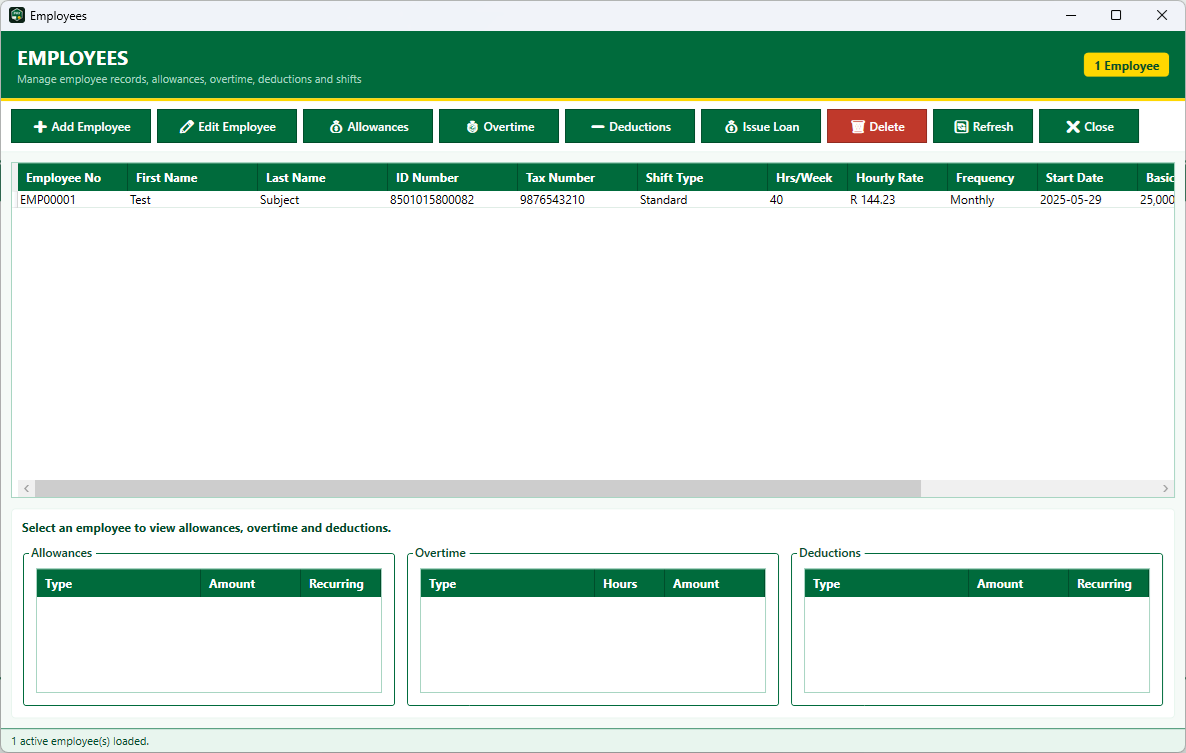
Employee management with allowances, overtime and deductions
👥 images/payroll-employees.png Employees screen
Employees — profiles, allowances, overtime, deductions and loans
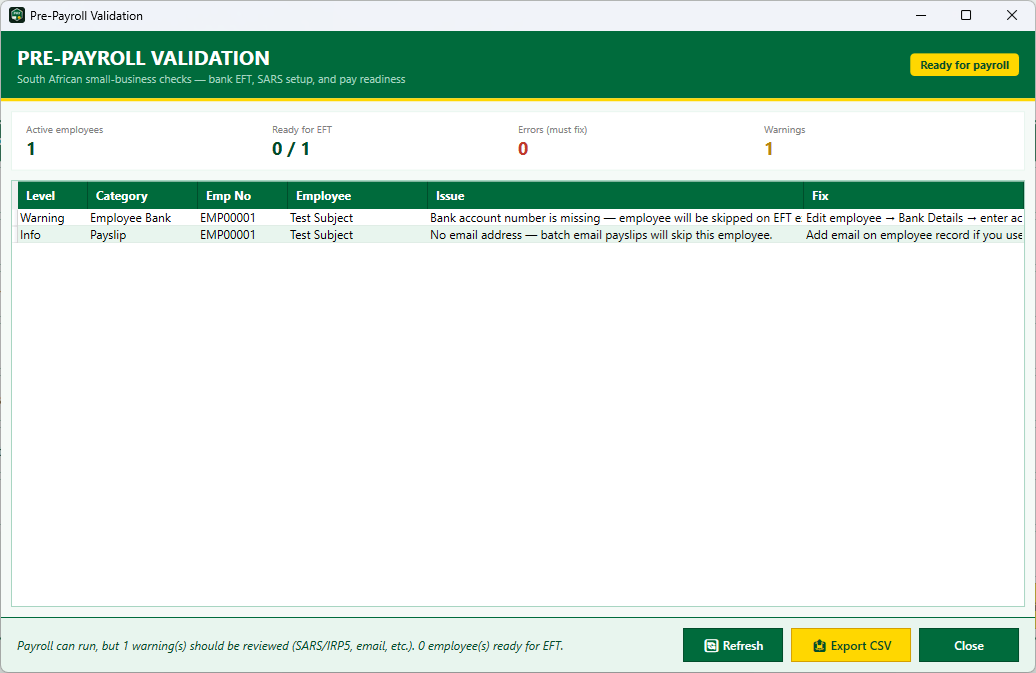
Pre-payroll validation checks for bank EFT and SARS readiness
images/payroll-validation.png Pre-Payroll Validation
Pre-payroll validation — catch bank and SARS issues before you run pay
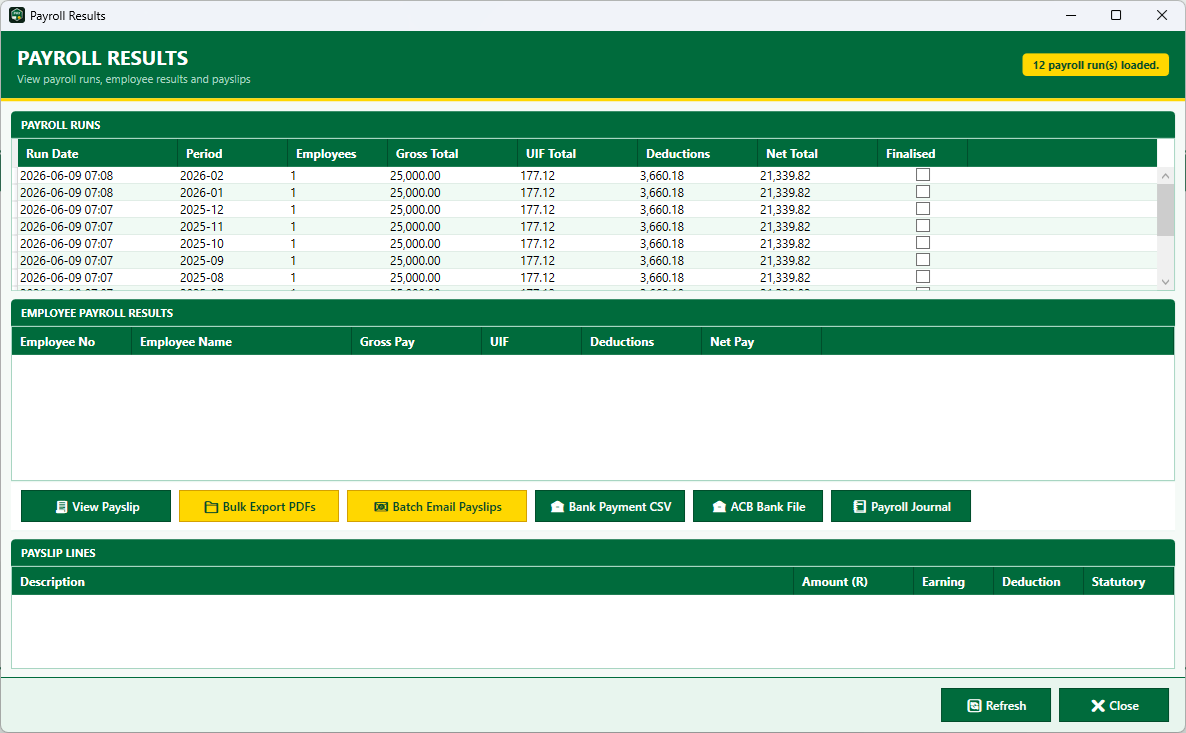
Payroll results with payslip export, batch email and bank payment files
💼 images/payroll-results.png Payroll Results screen
Payroll results — payslips, bulk PDF export, batch email and bank files
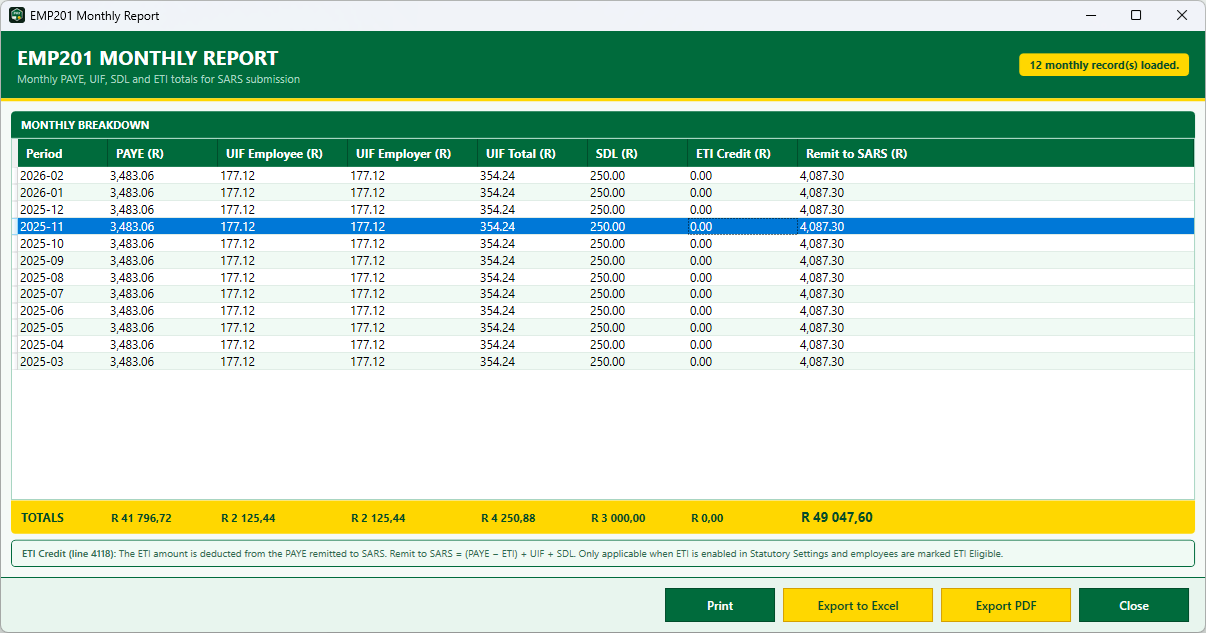
EMP201 monthly PAYE UIF SDL report for SARS
📊 images/payroll-emp201.png EMP201 Monthly Report
EMP201 — monthly PAYE, UIF, SDL and ETI totals for SARS
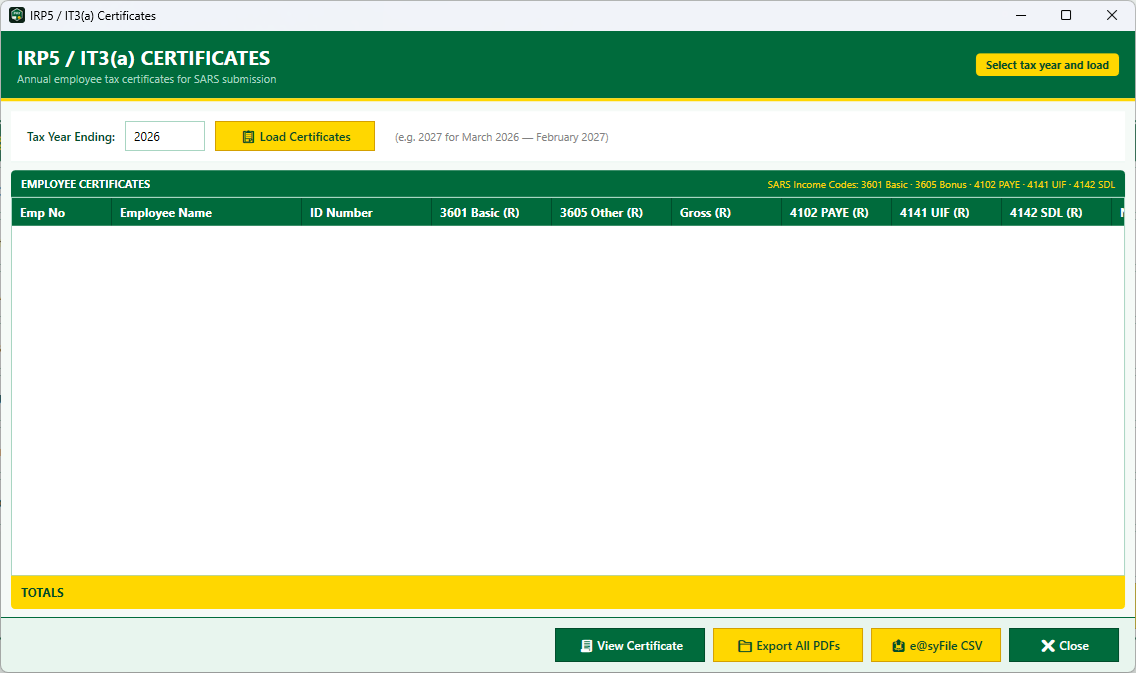
IRP5 annual tax certificates with e@syFile export
📋 images/payroll-irp5.png IRP5 Certificates
IRP5 certificates — PDF export and e@syFile CSV for SARS

Everything a Startup or Small Company Needs

From monthly payruns to year-end IRP5 certificates — built for South African tax law, not adapted from overseas software.

Statutory Compliance

  • PAYE with age rebates & medical tax credits
  • UIF (employee & employer) and SDL
  • ETI — Employment Tax Incentive
  • IRP5 annual certificates
  • EMP201 monthly declaration
  • EMP501 annual reconciliation
  • SARS tax table import & management

Payroll Operations

  • Employee profiles, earnings & deductions
  • Overtime ×1.3, ×1.5 & ×2.0 multipliers
  • Multiple shift types (BCEA compliant)
  • Leave accrual and leave requests
  • Staff loans with payroll deductions
  • Pre-payroll validation before processing
  • Pay period management & payrun history

Administration

  • Company & statutory settings
  • Earning & deduction type management
  • User roles — Administrator, Payroll Clerk, View Only
  • Full audit trail
  • Excel export on reports
  • Public holiday calendar
  • Termination summary reports

From Payroll to Bank and SARS

Print, export PDF, or generate files for your bank and SARS submissions.

Payslips & Documents

  • Individual payslip view & PDF export
  • Bulk payslip PDF export per payrun
  • Batch email payslips (SMTP configured)

SARS Submissions

  • IRP5 certificate PDF export
  • e@syFile IRP5 CSV export
  • EMP201 & EMP501 PDF reports

Finance Integration

  • Bank EFT / batch payment CSV
  • Accounting journal export
  • Configurable GL account codes

System Requirements & What's Included

Minimum Requirements

  • Windows 10 or 11 (64-bit)
  • 4 GB RAM recommended (2 GB minimum)
  • 2 GB free disk space (more for SQL Express)
  • Administrator rights for installation
  • Internet for activation & support (not required daily)

Installer Includes

  • Silica Payroll application (v1.1)
  • .NET 8 Desktop Runtime (if not installed)
  • SQL Server Express — SQLEXPRESS instance (if not installed)
  • Sample SARS tax bracket CSV files
  • Fresh empty database on first run

The installer is provided after purchase or demo arrangement — not as a public website download. Default install location: C:\Program Files\PayrollSystem.

Once-off Licence — No Subscription

Pay once. The software is yours. Built for startups and small companies — we issue an activation key bound to your PC after purchase. 25 employees is a recommended size, not a hard limit. View published pricing.

First year of updates included

Every licence includes 12 months of updates (SARS tax tables, compliance fixes, minor versions). From year two, an optional yearly update is R 295.00. Your installed version keeps running if you choose not to update.

Yearly Update

From year two · optional
R 295.00
Per year · incl. VAT

Stay current with SARS changes when you need to — not mandatory.

Installation support and first-year updates included. Start free trial · Buy licence · Full pricing

Purchase Silica Payroll

Submit your order and we will send EFT banking details. Your FULL licence key is emailed after payment is received.

Silica Payroll Questions

Can I try it before I buy?
Yes. Register for a 60-day free trial on our homepage. You will receive a download link and TRIAL licence key by email. Your trial starts on first run of the software.
Do I need to install SQL Server myself?
No. The Silica Office installer detects whether SQL Server Express (SQLEXPRESS) and .NET 8 are present and installs them automatically if needed.
Can I run payroll for shift workers and overtime?
Yes. The system supports multiple shift types and BCEA-compliant overtime multipliers — ×1.3 for Saturdays, ×1.5 for standard overtime and ×2.0 for Sundays and public holidays.
How do I get my licence key?
Trial users receive a TRIAL key automatically by email after registration. Paid customers receive a FULL key by email after payment is confirmed. Enter the key on first launch or after trial expiry — the licence is then bound to that PC.
What updates are included?
Your licence includes the first 12 months of updates — SARS tax table changes, compliance fixes and minor improvements. After that, an optional yearly update is R 295.00. Your installed version continues to work if you choose not to update.

More questions? See the full FAQ on our homepage.

Ready to Simplify Your Payroll?

Get a quote, arrange a demo, or call us — we respond within the hour during business hours.

Request a Quote [email protected]